How to touch type
Touch typing is not difficult when you know how to do it
Each finger has its own limited range of keys – we call it fingering. There are several types of fingering. In Typewizz we use the most modern one that you can meet for the English keyboard.
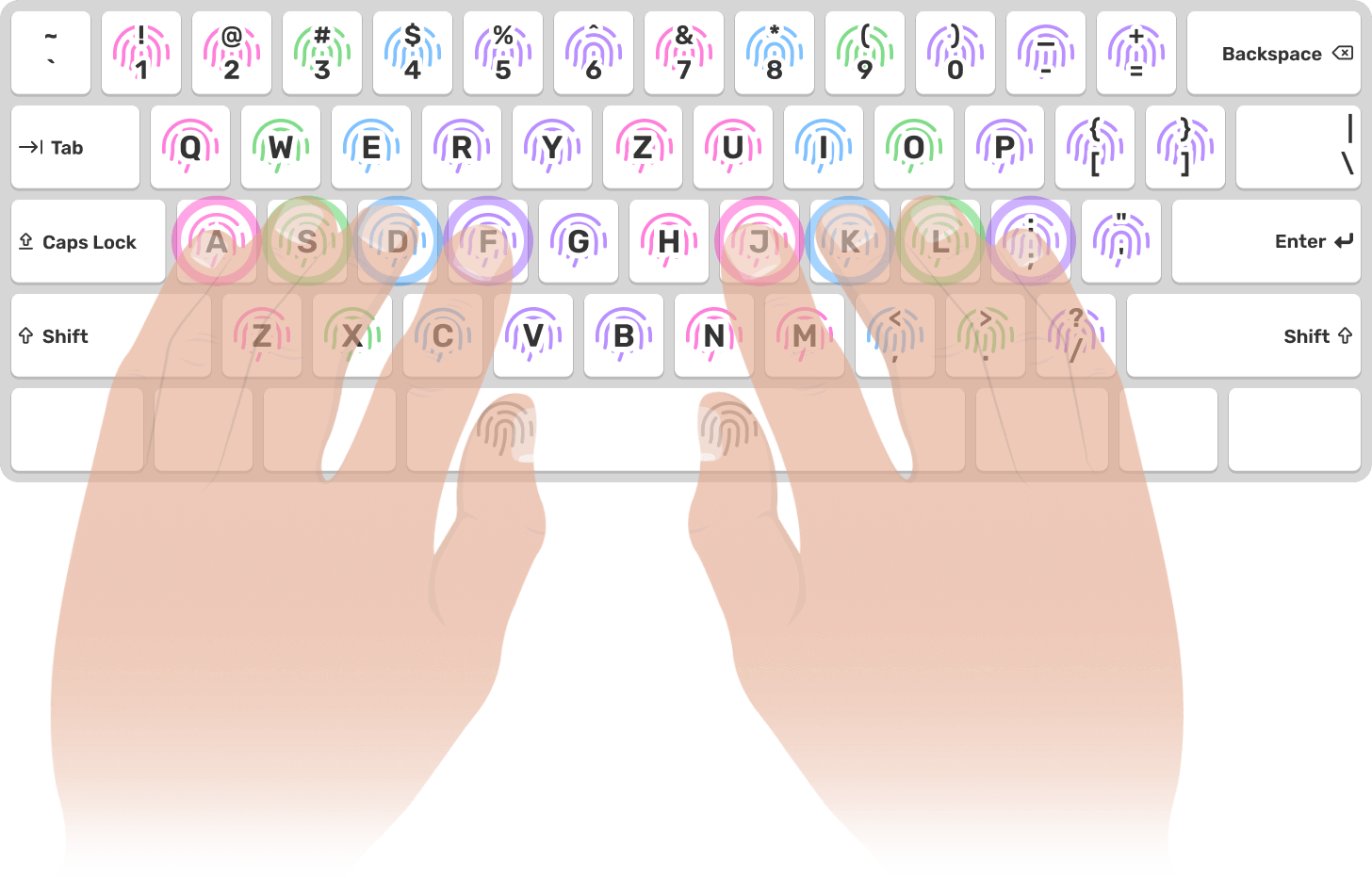

DO NOT LEARN FINGER POSITION BY HEART
Your fingers will learn it for you! Learning to touch type takes place using muscle memory. When you learn to type all ten, you won't even have to look at the keyboard, as you won't perceive the letters as key positions but the movement of your fingers. Thanks to this, professionals are able to write while they look you in the eye and talk. How frustrating!
Home row position
The basic position of the fingers is a kind of home of your fingers. Your fingers come out of this house and return to it as you write. It is located in the middle row of the keyboard, which is sometimes called the Home Row.
The F and J keys are decorated with small protrusions. These are used for tactile identification of these keys. Place your index fingers on these keys and place your remaining fingers loosely next to them.
The basic position is therefore formed by these keys
We have index fingers on the F and J keys. Intermediates on D and K. Rings on S and L. Pinkies on A and ;. You can place your thumbs on the space bar.
Golden tips for effective typing learning
Accuracy is more important than speed
As we already know, we use muscle memory while typing. We must first learn the correct movements of the fingers. Know where and with which finger to go when typing a letter. You may not remember it, but your fingers will. The more often you make a given movement, the more confident you will be and thanks to that you will gradually increase your speed.
Keys to learn from the easiest to the hardest
Our course is designed so you don't have to think about it at all, we solved it for you. With us, you will first learn the middle row of the keyboard (letters A to ;), then the upper row (Q to P), then the lower row (Z to M), and finally the accents and special characters.
Rushing doesn't pay off
Start learning the next letter when you are really sure of the letter you have just learned. Assurance when typing will give you the peace of mind you need to learn new keys, in which you will not be sure yet. The same goes for the whole range. Only start learning a new series if you know that you have the current series at your fingertips.
Train every day. Just 10 minutes
Practice makes perfect not only for your mind but also for your fingers. Train enough and you will be a master! Try typing at least 10 minutes a day. You will learn new keys or practice the old ones. Try to touch type even outside of typewizz. It may be difficult at first, but gradually you will see the results.
Proper posture for typing
If you spend more time on the computer, then you should not overlook touch typing. Firstly, you can handle more tasks in less time, but above all, you also save your own health. Proper writing and posture technique prevents carpal tunnel syndrome, back pain and also relieves mental strain.
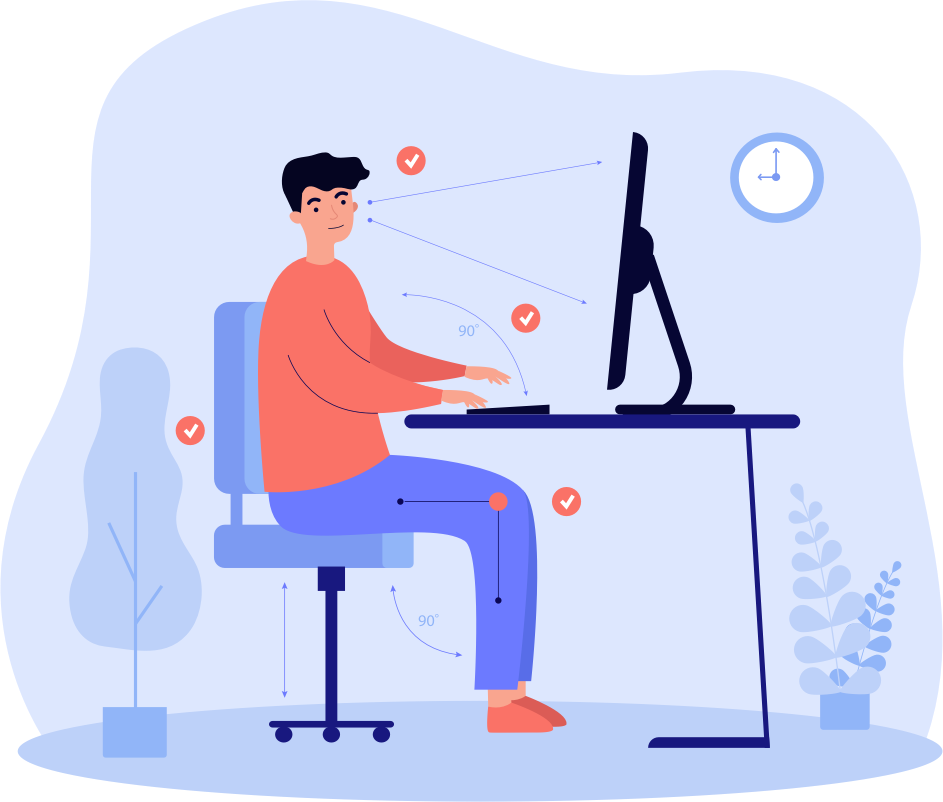
Your hands should be relaxed. You can rest your elbows on the armrests of the chair or table, but your wrists should be slightly in the air so that they do not touch the table. Do not crouch when sitting. A properly set working environment will help to hold the whole body properly.
Adjust the monitor so that you are looking at its center or top edge. It should be about 45-70 cm from your eyes. Keep your back straight at an angle of 90-120 degrees to your hips, as well as your knees should be at this angle, do not bend them under your back.
A stading desk can be a great help to ensure the ideal height for your hands, but you can also take turns standing by it and give your body relief from sitting.
Take breaks
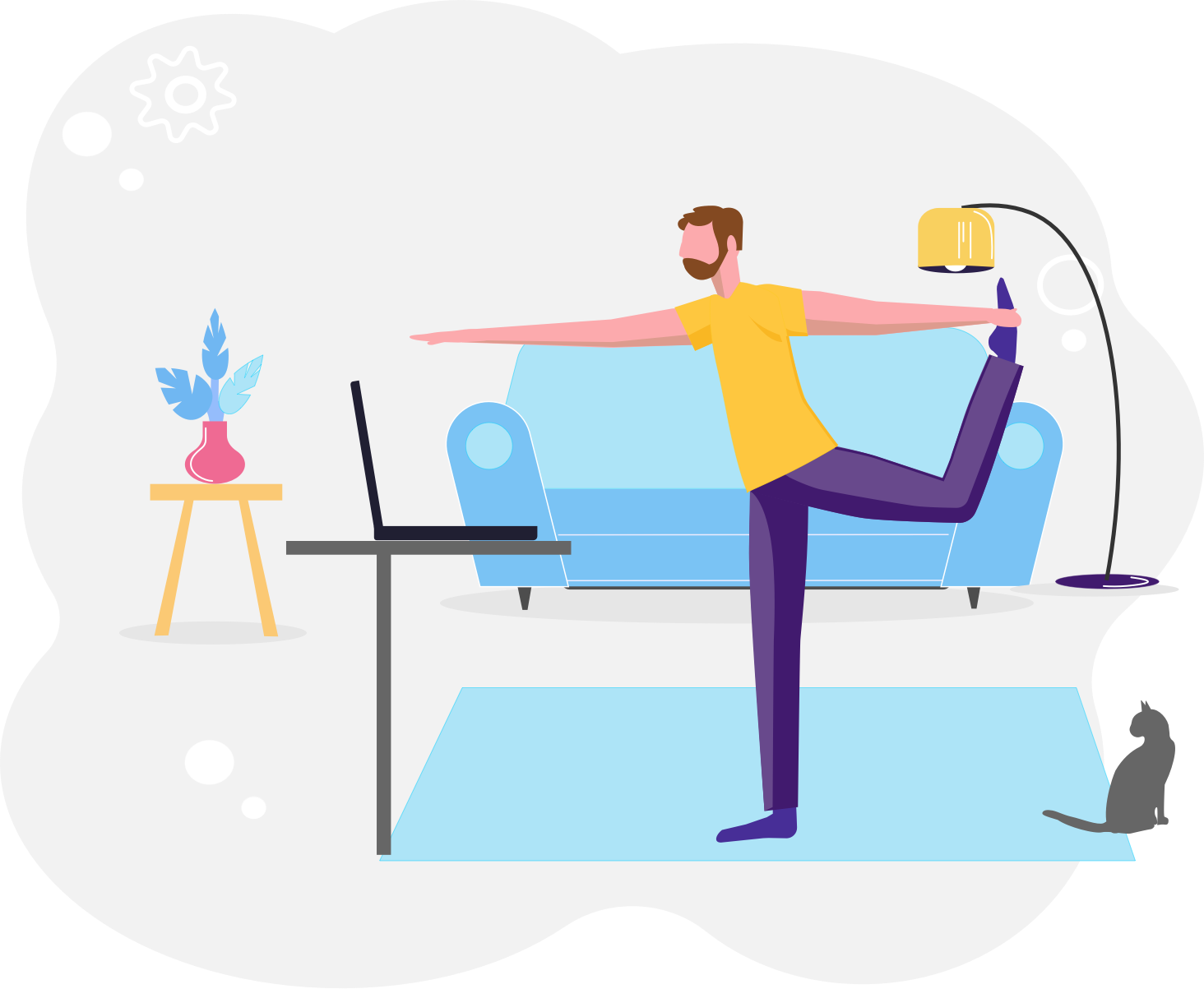
Honestly, it's many times difficult for us to take a break every 30 minutes, because the time at the computer flies a lot. However, try to get up at least every hour, stretch your arms, back and walk around the room for a minute. A 3-minute break every hour is not unmanageable, nor anything that would keep you from work. You clear your head, stretch and see for yourself that you will then work better.
Don't underestimate it!
Proper posture, work environment settings and frequent breaks are the best prevention for your health. The back pain will show up when it is too late. We have our own experience with this. Spinal disc herniation is a common cause of long and bad sitting. The treatment is for 6-9 months of rehabilitation, often the damage is permanent. Try to think about it and at least once an hour walk and stretch for a minute.
How is typing speed calculated?
We distinguish two basic units in typing speed - CPM and WPM. What is the difference between them?
Characters per minute
CPM is an abbreviation for characters per minute. For example, the word Typewizz contains 8 characters, or 8 keystrokes are needed to type the word.
Words per minute
WPM stands for words per minute. However, the words in the text are of different lengths, so it was determined that every single word counts as 5 characters. This means that 1 WPM = 5 CPM.
But you don't have to worry about it, Typewizz counts your speed and accuracy for you.